
AI Talking Photos: Turn Any Portrait into a Speaking Video
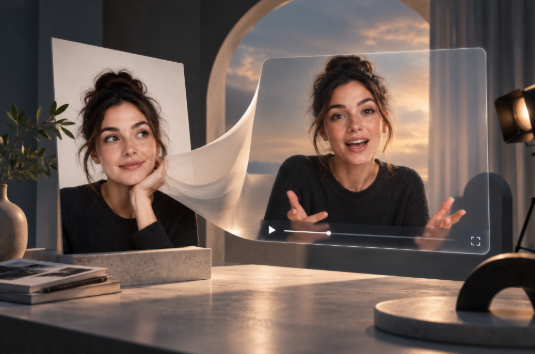
A portrait usually captures a single expression at a single moment.
With AI Talking Photos, that image can become something completely different: a speaking video in which the person appears to move their lips, blink, change expression and deliver a message.
The process can start from something as simple as a headshot, an illustration or a character image. Once a script or audio track is added, generative video technology can create facial movement that follows the rhythm and pronunciation of the speech.
This makes talking-photo technology particularly interesting for creators, marketers, educators and businesses that want to produce presenter-style videos without recording a new person every time.
But making a portrait speak convincingly involves much more than moving the mouth.
The most effective results depend on lip synchronization, facial expressions, head movement, voice quality and, above all, maintaining the identity of the original portrait throughout the video.
Research into talking-head generation has increasingly focused on precisely these challenges. Work presented at ICCV, for example, explores how audio-driven models can generate not only synchronized lip movement but also more natural pose, blinking, gaze and facial expressions.
What are AI Talking Photos?
AI Talking Photos are static portraits transformed into videos in which the subject appears to speak.
The technology analyses the face in the original image and generates a sequence of frames that introduces movement according to an audio source or written script.
Depending on the system, this can include:
Lip movement synchronized with speech.
Blinking.
Small head movements.
Changes in facial expression.
Eye movement.
Subtle gestures.
Voice generation.
Different speaking styles.
The original image remains the visual reference, while the generated video adds the temporal information needed to make the subject appear alive and responsive.
In simple terms, the image provides who is speaking, while the script or audio defines what they say.
How do AI Talking Photos work?
The visible workflow is usually very simple.
You upload a portrait, provide a script or audio recording, select a voice or speaking style and generate the video.
Behind the scenes, however, the process involves several different tasks.
The system must identify important facial landmarks, understand the structure of the face and generate new frames while preserving the person's identity.
At the same time, it needs to relate the audio signal to the movements of the mouth.
Speech contains different sounds, or phonemes, which correspond to different mouth shapes.
The model predicts those visual changes over time and generates the frames required to make the lips appear synchronized with the speech.
More advanced systems also generate movements that are not directly related to the mouth, such as blinking, gaze and head motion.
This is important because a perfectly synchronized mouth combined with a completely static face can still feel unnatural.
Why lip sync matters so much
Lip synchronization is one of the most obvious indicators of whether a talking portrait feels convincing.
Humans are extremely sensitive to differences between what they hear and what they see.
If the mouth closes when a sound should still be continuing, or if the lips form the wrong shape for a word, the viewer notices very quickly.
Research into talking-head generation often evaluates models based partly on audio-lip synchronization accuracy, alongside image quality and facial naturalness.
For content creators, this means that visual quality alone is not enough.
A highly detailed portrait with inaccurate speech movement can look less convincing than a simpler video with precise synchronization.
More than moving lips: what makes a talking portrait feel natural?
Real people do not speak using only their mouths.
They blink.
They move their eyes.
They tilt their heads.
Their eyebrows respond to emotion.
Their facial muscles change depending on tone and emphasis.
This is why modern talking-photo systems increasingly attempt to reproduce a wider range of facial behaviour.
Research published at CVPR has explored the independent control of lip movement, head pose and facial expression precisely because these components contribute differently to the perception of realism.
For a generated portrait, small movements often make the biggest difference.
A slight head tilt or natural blink can make the subject feel much more believable than exaggerated animation.
What types of portraits can be turned into talking videos?
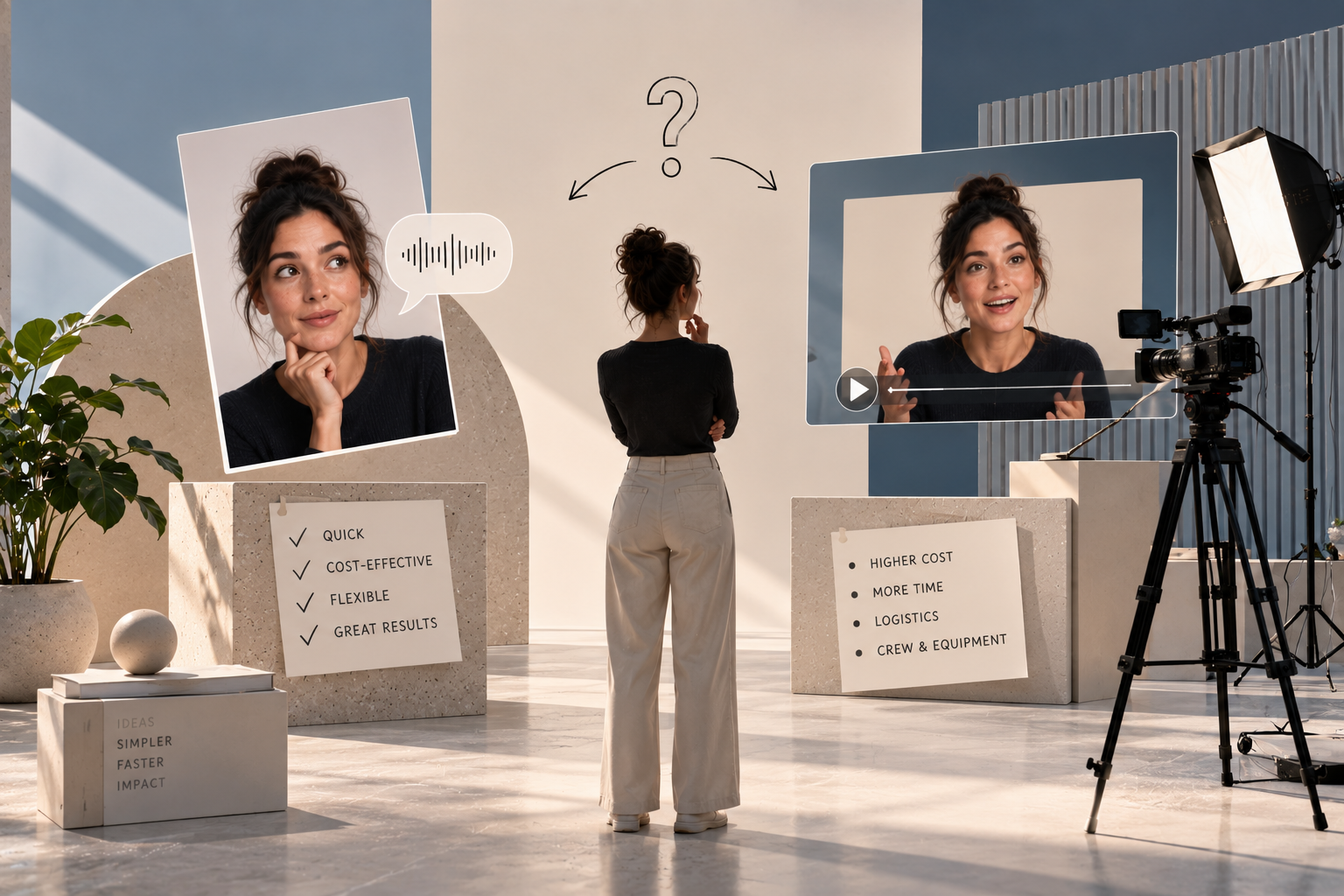
Talking-photo technology is not limited to traditional professional headshots.
Personal portraits
A clear photograph of a person can become a short speaking clip.
This can be useful for social content, personal projects or creative storytelling.
Professional headshots
Corporate photographs can be transformed into presenter-style videos for internal communications, product explanations or introductions.
Illustrated characters
A drawn or digitally created character can also be animated.
This opens possibilities for branded characters, educational content and creative campaigns.
Historical photographs
Older portraits can be animated for museums, documentaries, exhibitions or storytelling projects.
When this is done, it is important to make clear that the resulting movement and speech are generated rather than historical recordings.
Brand mascots
A mascot or fictional spokesperson can be turned into a recurring presenter without needing a physical performer.
This can be especially useful when a brand wants to build a recognizable character across multiple pieces of content.
Why brands are interested in talking-photo content
Video production often requires cameras, lighting, locations and people.
Talking-photo generation creates another option.
Instead of recording a spokesperson every time a new message is needed, a brand can potentially work from an approved portrait and adapt the spoken content.
This can be useful for:
Product explanations.
Social media posts.
Internal communications.
Training content.
Short advertisements.
Landing pages.
Customer onboarding.
Localized campaigns.
The appeal is not only speed.
It also allows a single visual identity to be reused across many different pieces of communication.
AI Talking Photos for social media
Short-form platforms rely heavily on faces.
A person looking toward the camera and speaking directly to the viewer creates a very different relationship from a static graphic.
AI Talking Photos can transform an existing portrait into a short presenter-style video without requiring the person to record themselves.
For example, a creator could use one portrait to introduce a new project, summarize a blog post or deliver a short announcement.
A brand could animate a campaign image to create a more dynamic social asset.
The strongest results are usually concise.
Talking-photo videos are particularly suited to short messages where facial consistency can be maintained and the viewer quickly understands the purpose of the clip.
Using talking portraits for educational content
Education and training are another natural application.
A static image of a presenter or character can become a guide that introduces a topic, explains a concept or moves the learner between sections.
This can make digital learning feel more personal without requiring a full studio recording for every update.
It can also simplify revisions.
If a piece of information changes, it may be possible to update the script without filming the entire presentation again.
For organizations producing large amounts of training content, that flexibility can be valuable.
Product explainers and tutorials
Talking portraits can also be combined with product footage, screenshots or graphic elements.
The portrait does not need to remain on screen for the entire video.
It can introduce a product, disappear while the viewer sees a demonstration and return at the end.
This helps create a hybrid workflow where generated presenter footage is combined with traditional editing.
For brands, this can provide a more scalable way to produce explanatory content.
Multilingual content from one portrait
One of the most interesting possibilities is localization.
A single portrait can potentially be used to create versions of the same message in different languages.
The text or audio changes, while the visual identity remains consistent.
This can be valuable for companies communicating across several markets.
Instead of filming separate presenter videos for each language, the same portrait can become the basis for multiple localized versions.
The challenge is making sure that pronunciation, voice tone and lip synchronization remain convincing in each language.
Choosing the right image
The source portrait has a major influence on the final result.
A technically advanced model cannot always compensate for a poor reference image.
For better results, the portrait should generally have:
A clearly visible face.
Good resolution.
Even lighting.
Minimal facial obstruction.
A natural head position.
Visible eyes and mouth.
Limited motion blur.
A front-facing or slightly angled portrait often gives the model more facial information to work with.
If large parts of the face are hidden by hair, sunglasses or objects, the generated movement can become less predictable.
Expression in the original portrait matters
The starting expression also affects the animation.
A neutral or softly expressive portrait usually provides more flexibility.
If the person is already making an exaggerated facial expression, the generated speech may have to work around that position.
This can produce more noticeable inconsistencies.
The goal is not necessarily to use a perfectly emotionless photograph.
Instead, the expression should match the type of message being created.
A friendly presentation might benefit from a subtle smile.
A serious corporate update may work better with a more neutral expression.
Script writing for talking photos
The quality of the script is just as important as the image.
A talking portrait may look visually convincing but still feel artificial if the spoken text sounds unnatural.
Short sentences usually work well.
The script should be written for speech rather than for reading.
This means using:
Natural phrasing.
Clear sentence structure.
Appropriate pauses.
Conversational rhythm.
Vocabulary suited to the audience.
Reading the script aloud before generating the video is a useful test.
If it feels awkward when spoken by a real person, animation will not solve that problem.
How expression changes the message
Facial expression can alter how the same sentence is perceived.
A slight smile can make a message feel welcoming.
Raised eyebrows can communicate surprise or enthusiasm.
A more controlled expression can create authority.
This means the animation should support the message rather than compete with it.
Exaggerated facial movement can quickly make a professional video feel unnatural.
Subtlety is often more effective.
How long should a talking-photo video be?
There is no universal ideal length.
However, shorter videos are generally easier to keep visually consistent.
For social posts, announcements or short explainers, a few seconds or a short spoken paragraph may be enough.
Longer content can be created, but it may benefit from editing techniques such as:
Changing camera framing.
Adding B-roll.
Showing products or graphics.
Cutting between different visual elements.
Dividing the script into sections.
This reduces the need for one generated portrait to remain on screen continuously.
Can a talking photo use a real recorded voice?
Depending on the workflow, the animation can be driven by a generated voice or by an uploaded audio recording.
Using a real voice can be useful when the speaker needs to preserve their personal tone and pronunciation.
In that case, the model focuses mainly on creating facial movement that follows the existing speech.
Voice generation provides more flexibility when no recording exists.
Both approaches have different creative advantages.
Why identity preservation matters
If the source portrait represents a real person, viewers expect that person to remain visually consistent.
Small changes in the eyes, jawline or face shape can create an uncanny effect.
For branded or professional use, this becomes even more important.
The portrait may already be part of an approved campaign or corporate identity.
The purpose of animation should be to extend that visual, not reinterpret the person.
This is one reason why controlled movement often produces better results than dramatic performance.
When should you use a talking photo instead of filming?
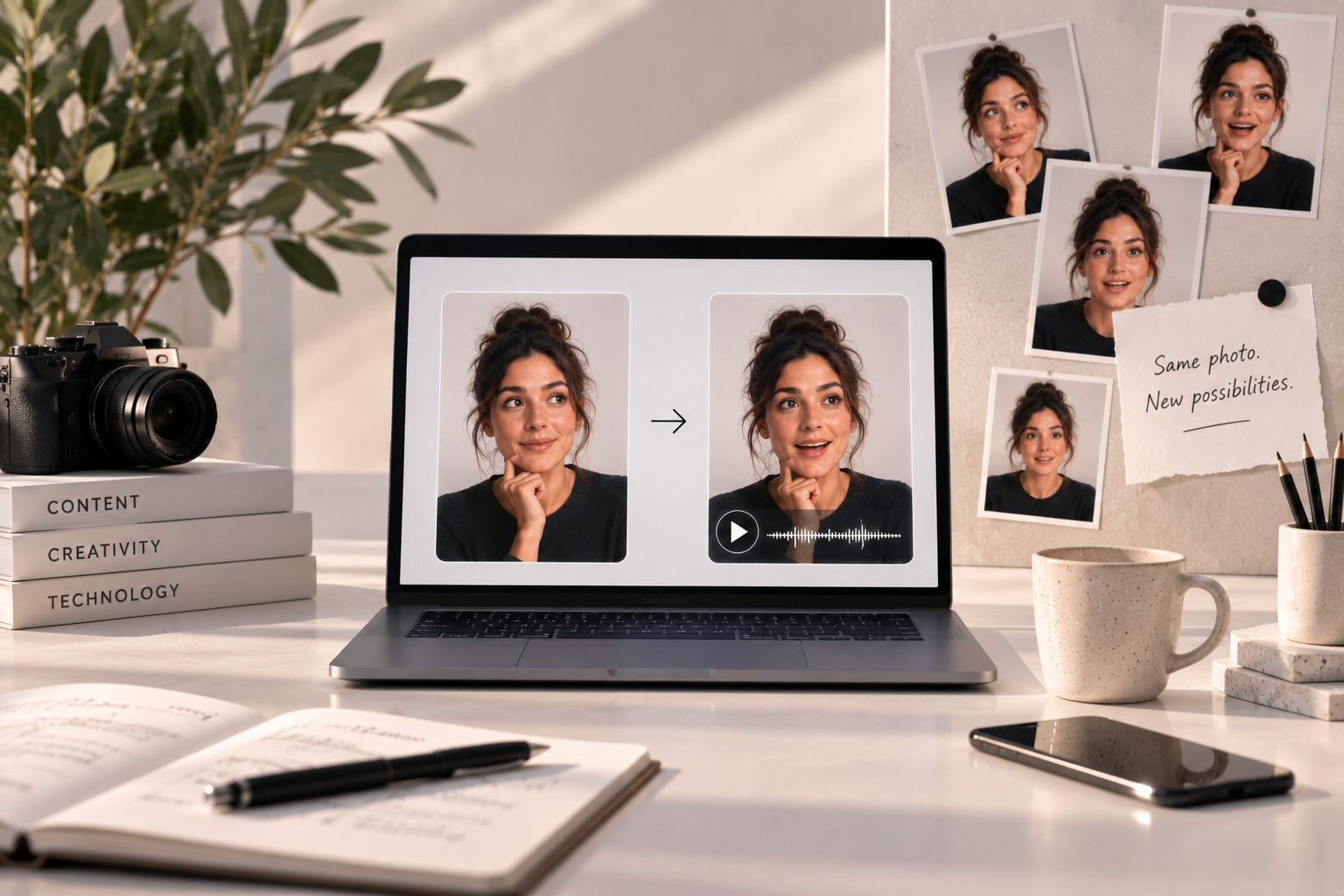
A traditional recording still has important advantages.
Real human performance offers nuance, spontaneity and natural interaction that generated content may not fully reproduce.
Talking photos are especially useful when:
Speed matters.
The message is short.
The portrait already exists.
Multiple variations are required.
Localization is important.
A full shoot would be disproportionate to the content.
For high-emotion storytelling or complex performances, traditional filming may still be the stronger choice.
The value lies in selecting the right production method for each project.
Oopsify: transforming portraits into dynamic visual content
Oopsify is built around turning existing images into dynamic video experiences.
Its image-to-video workflow allows users to start with photos and generate cinematic motion without needing to build every video from scratch. Oopsify also supports generated sound and voices as part of its current video-generation capabilities.
That makes talking-photo concepts a natural extension of the broader image-to-video workflow.
The strongest use is not simply making a face move.
It is deciding what the portrait should communicate, how the movement should support the message and how the resulting clip fits into the wider content strategy.
You can explore Oopsify to see how static images can become dynamic video content.
From portrait to presenter
AI Talking Photos demonstrate how quickly the boundary between photography and video is changing.
A portrait no longer needs to remain a static visual.
With speech, lip synchronization and subtle facial movement, it can become a presenter, guide or storytelling element.
But the quality of the result still depends on creative decisions.
The right portrait matters.
The script matters.
The voice matters.
The expression matters.
And the way the final video is used matters.
For creators and brands, the opportunity is therefore not simply to make photos speak.
It is to turn existing visual assets into more flexible forms of communication.
Frequently asked questions about AI Talking Photos
What are AI Talking Photos?
They are static portraits transformed into speaking videos using generated facial movement, lip synchronization and audio.
Can any portrait be turned into a talking video?
Many portraits can be animated, but clear, high-resolution images with visible facial features generally produce more predictable results.
Do I need to record my own voice?
Not necessarily. Depending on the workflow, you can use recorded audio or generate a voice from a written script.
How does the mouth follow the speech?
The system analyses the audio and generates mouth shapes and movements that correspond to the sounds being spoken.
Can illustrations talk too?
Yes. Talking-photo technology can also animate illustrated characters, digital portraits and mascots.
Are AI Talking Photos the same as AI Video Avatars?
Not exactly. Talking photos usually animate one specific portrait, while video avatars are often designed as reusable digital presenters.
Can talking photos be used for business?
Yes. Potential applications include marketing, training, onboarding, product explainers, localization and social content.
Can the same portrait speak different languages?
Yes, depending on the voice and generation system used. The same visual can be paired with different scripts or audio tracks for localization.
What makes a talking portrait look realistic?
Accurate lip synchronization, identity preservation, subtle head movement, natural blinking, appropriate facial expressions and a well-matched voice all contribute.
Should viewers be told when a talking portrait is generated?
In contexts where the video could be interpreted as authentic footage of a real person, transparency is strongly advisable, particularly when the content could influence how viewers understand what that person actually said.
← All posts